Board View
Kanban-style columnar display with per-column pagination
Overview
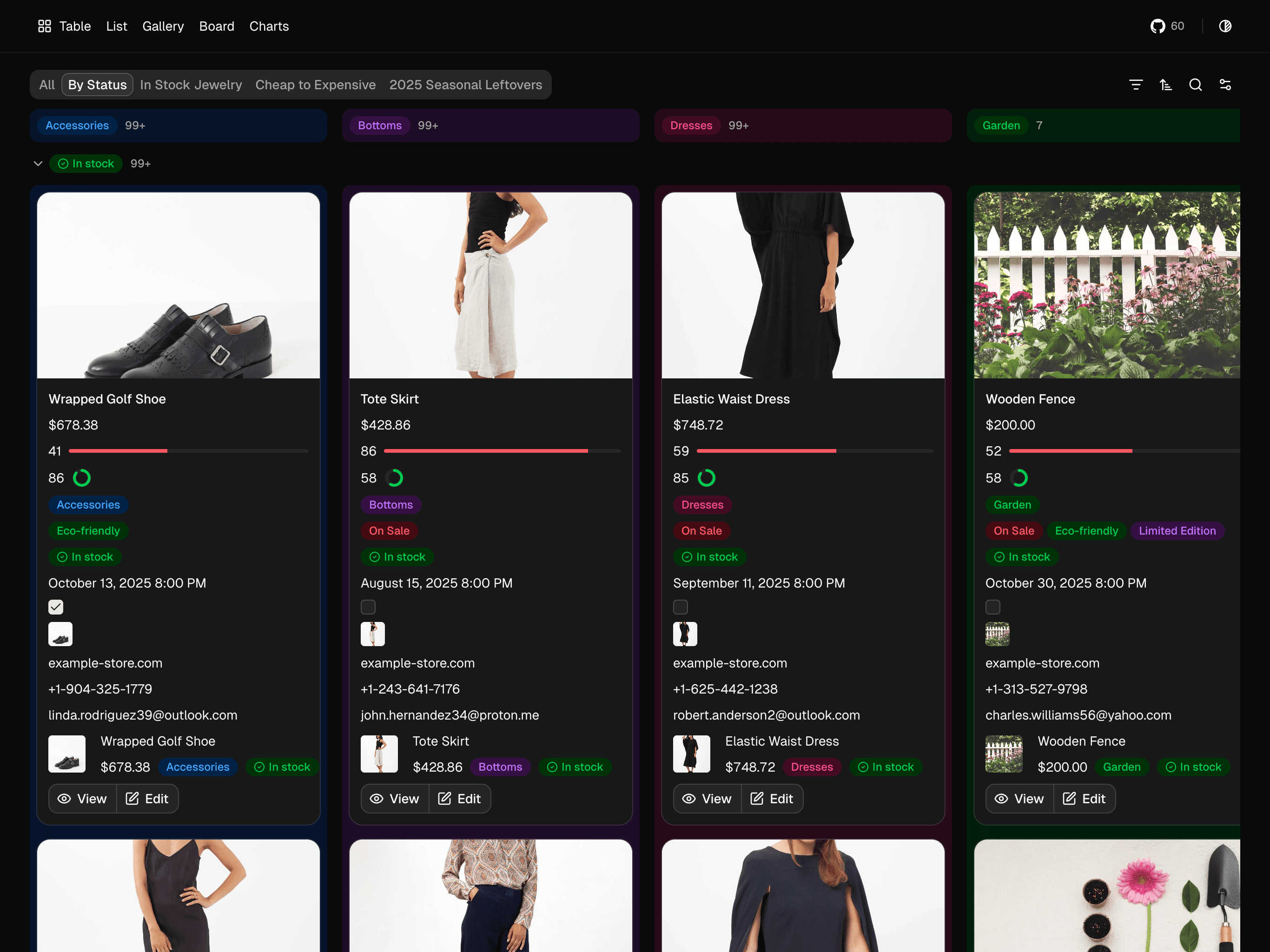
BoardView displays data as a Kanban board with cards organized into columns. It supports two-dimensional grouping: vertical columns and optional accordion rows.
Features
- Kanban-style vertical columns
- Per-column pagination (each column loads independently)
- Optional colored column backgrounds
- Two-dimensional grouping (columns + accordion rows)
- Card preview images
Basic Usage
import { useInfiniteController } from "@sparkyidea/dataview/hooks";
import { DataViewProvider } from "@sparkyidea/dataview/providers";
import { NotionToolbar } from "@sparkyidea/dataview/toolbars/notion";
import { BoardView } from "@sparkyidea/dataview/views/board-view";

const columnConfig = { propertyType: "select", propertyId: "category" };

const { controller } = useInfiniteController({
  columnQuery: (params) =>
    trpc.product.getGroup.queryOptions({
      filter: params.filter,
      groupBy: params.columnConfig,
      hideEmpty: params.hideEmpty,
      search: params.search,
    }),

  groupQuery: (params) =>
    trpc.product.getGroup.infiniteQueryOptions({
      filter: params.filter,
      groupBy: params.groupConfig,
      hideEmpty: params.hideEmpty,
      search: params.search,
      sort: params.groupConfig.sort,
      limit: 25,
    }),

  dataQuery: (params) =>
    trpc.product.getManyByColumn.infiniteQueryOptions(
      {
        columnBy: columnConfig,
        filter: params.filter,
        limit: params.limit,
        sort: params.sort,
        search: params.search,
      },
      {
        getNextPageParam: (lastPage) => {
          const hasAnyMore = Object.values(lastPage.hasNextPage).some(Boolean);
          return hasAnyMore ? lastPage.endCursor : undefined;
        },
      }
    ),
});

<DataViewProvider
  controller={controller}
  defaults={{ column: columnConfig, filter, group, limit, search, sort }}
  properties={productProperties}
>
  <NotionToolbar enableSettings>
    <DataViewTab options={productTabOptions} />
  </NotionToolbar>
  <BoardView cardSize="medium" colorColumns pagination="loadMore" />
</DataViewProvider>
Board view uses getManyByColumn for card data and columnQuery/groupQuery for header counts.
Props
| Prop | Type | Default | Description |
|---|---|---|---|
pagination | "loadMore" | "infiniteScroll" | - | Pagination mode (no page-based mode) |
cardSize | "small" | "medium" | "large" | "medium" | Card size preset |
cardPreview | string | - | Property ID for card preview image |
colorColumns | boolean | false | Color column backgrounds based on property colors |
fitMedia | boolean | true | Fit media to card (cover vs contain) |
onCardClick | (item: TData) => void | - | Card click handler |
showPropertyNames | boolean | false | Show property labels on cards |
wrapAllProperties | boolean | false | Wrap property text |
Two-Dimensional Grouping
Board view supports both dimensions:
| Dimension | Purpose | Example |
|---|---|---|
| Column | Vertical card columns | Category: Home, Jewelry, Garden |
| Group | Accordion row grouping | Restocked: This Week, Last Week |
Data Fetching Pattern
BoardView uses getManyByColumn instead of getMany.
Table/List/Gallery: getMany()
Board:              getManyByColumn()
getManyByColumn returns a flat item list plus per-column cursor maps. Board columns are formed client-side using the active column config.
Response Structure
interface GetManyByColumnResult<T> {
  items: T[];
  startCursor: Record<string, string | null>;
  endCursor: Record<string, string | null>;
  hasNextPage: Record<string, boolean>;
  hasPreviousPage: Record<string, boolean>;
}
Pagination Modes
| Mode | Description |
|---|---|
loadMore | Button per column to append more cards |
infiniteScroll | Auto-load when scrolling near column bottom |
Page-based pagination (page) is not supported for board views.
Default Limit: 25 cards per column
Colored Columns
<BoardView cardSize="medium" colorColumns pagination="loadMore" />Color comes from option/status config:
const statusProperty = {
  id: "availability",
  type: "status",
  config: {
    groups: [
      { label: "Available", color: "green", options: ["In stock"] },
      { label: "Warning", color: "yellow", options: ["Low stock"] },
      { label: "Unavailable", color: "red", options: ["Out of stock"] },
    ],
  },
};
Card Click Handler
<BoardView onCardClick={(item) => router.push(`/tasks/${item.id}`)} />Display Options
<BoardView
  cardSize="large"
  cardPreview="productImage"
  fitMedia
  showPropertyNames
  wrapAllProperties={false}
  colorColumns
  pagination="infiniteScroll"
/>